



































































Menu
Your Cart

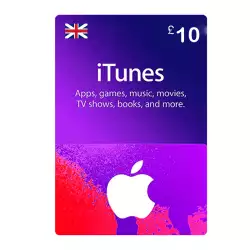
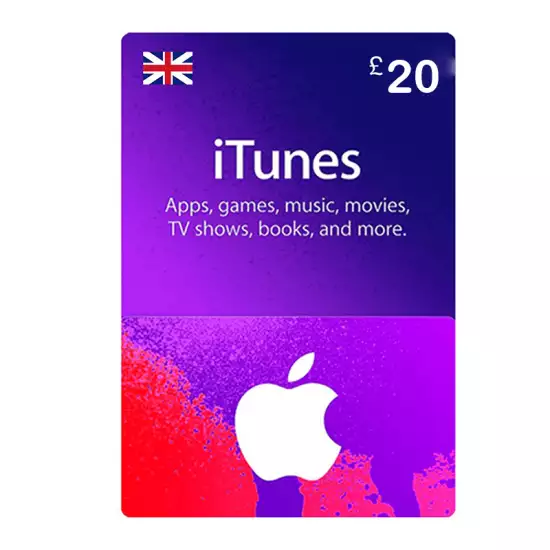
Apple iTunes Gift Card British Store 20 GBP

Apple iTunes Gift Card British Store 20 GBP
NewDigital Code
Apple iTunes Gift Card British Store 20 GBP
  • Model: Digital Card
  • Cashback: 17 EGP
1145 views
1,710 EGP
Ex Tax: 1,710 EGP
  • Stock: In Stock

Note : For cib installment from 12 to 36 month interest calculated by bank

Check in-store availability

×

This game is available in 0 stores and can also be delivered to your home with cash-on-delivery option.

Store Madinty

Shop G ground Floor All Season Park Mall Madinty- Egypt

Ready for Pick Up On: Today

Store Working Hours:

Saturday to Wednesday: 10:00 AM – 10:00 PM

Thursday & Friday: 10:00 AM – 12:00 Midnight

Warehouse Fifth Settlement

21 Hay 4 District 3 Fifth Settlement New Cairo - Egypt

Ready for Pick Up On: Today

Store Working Hours: Saturday to Thursday 9:00AM - 5:00PM

Store Fifth Settlement

Shop LL-10 beside Mahmoud El Far Market -Arabella Mall Fifth Settlement New Cairo - Egypt

Ready for Pick Up On: Today

Store Working Hours: Every day from 11:00 AM to 11:00 PM

Store Mall Of Arab

Shop G285 Near Gate 23 - Mall of Arabia 6 October City - Egypt

Ready for Pick Up On: Today

Store Working Hours: Every day from 10:00 AM to 10:00 PM

One card gives them a world of entertainment. Millions of apps from the App Store. Access to groundbreaking games on Apple Arcade. Over 60 million songs with Apple Music. Original shows and films with Apple TV+. Hundreds of magazines and leading newspapers with Apple News+. And an incredible selection of books and audiobooks from Apple Books.

 Note

  • This code is not exchanged nor refunded 
  • It's redeemable for UK account only.

How to Redeem the gift card:

Redeem a gift card with your iPhone, iPad, or iPod touch:

  • Open the App Store app.
  • At the top of the screen, tap the sign-in button  or your photo.
  • Tap Redeem Gift Card or Code. If you don’t see Redeem Gift Card or Code, sign in with your Apple ID.
  • Tap Use Camera and follow the instructions on the screen. If you have trouble redeeming the card, tap Enter Code Manually, then follow the instructions on
  • the screen.
  • Tap Done.

Redeem a gift card on your Mac:

  • Open the App Store.
  • Click your name or the sign-in button in the sidebar. 
  • Click Redeem Gift Card.

Redeem a gift card on a Windows PC:

  • Open iTunes.
  • From the menu bar at the top of the iTunes window, choose Account.
  • Choose Redeem.
  • Sign in and follow the instructions on the screen.

Redeem a gift card on your Android device:

  • Open the Apple Music app.
  • Tap the menu button , then tap Account.
  • Tap Redeem Gift Card or Code.
  • Enter the 16-digit code. Then tap Redeem.

Write a review

Note: HTML is not translated!
BadGood